---
title: "Slirc for iPhone and Mac"
description: "Slirc has a Mac app you can download, and the iPhone app is waiting on Apple's beta review. Both wrap the same web app, so there's one codebase."
pubDate: "2026-11-14"
heroImage: "/slirc-apps-hero.png"
series: "Building Slirc"
part: 7
---
Slirc has two native apps now. The Mac app is out, and you can [download it](https://slirc.app/download/Slirc.dmg). The iPhone app has been in Apple's beta review for TestFlight since November 13th.
Both wrap the web app you already use in the browser, so there's still one codebase, as I planned in [part 2](/blog/slirc2). On iPhone the wrapper is [Capacitor](https://capacitorjs.com). On Mac it's a small Swift app around `WKWebView`, the web view that comes with macOS.
Why native apps, if the web app already works on a phone? On iPhone, a web app added to the home screen keeps its storage apart from Safari. Tap the sign-in link in the email, or scan the sign-in QR code with the Camera, and Safari is the one that gets signed in. iOS hands those links to the native app instead.
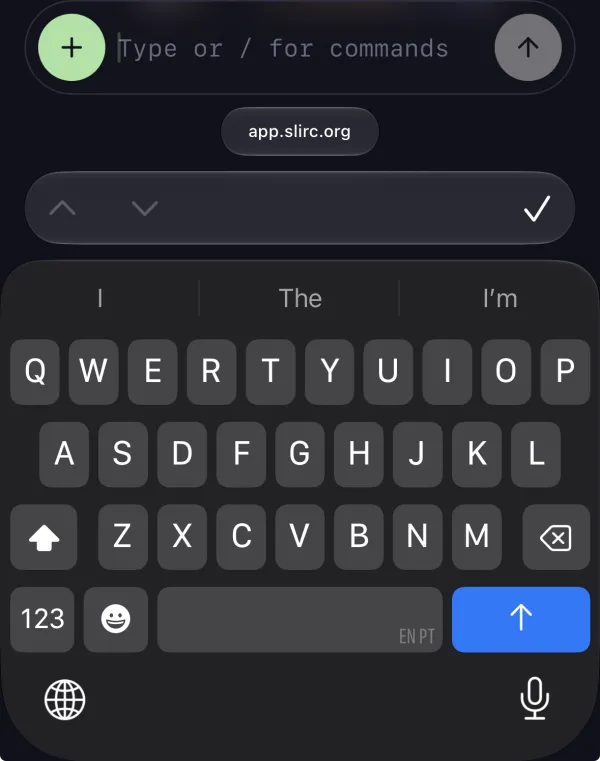
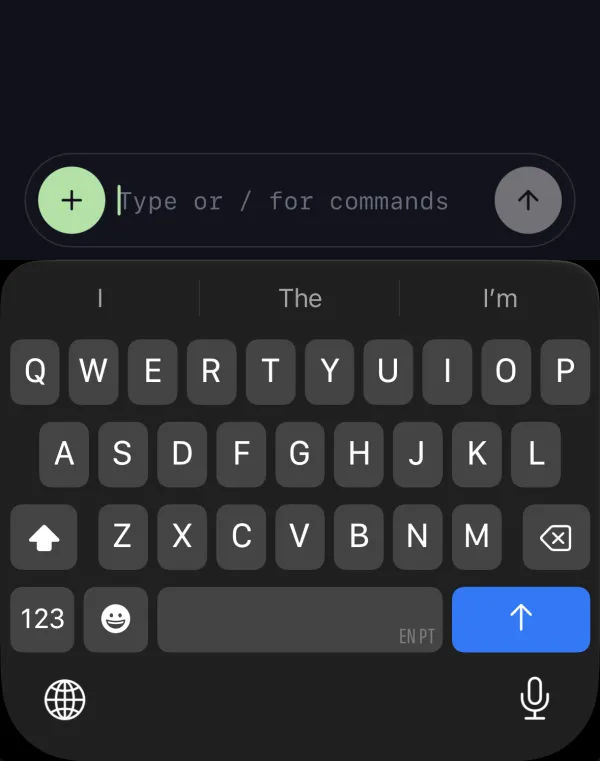
The iPhone app also hides the bar with up, down and Done that iOS shows above the keyboard in web forms, so the keyboard sits right under the composer.
Left, Safari with the bar above the keyboard. Right, the Slirc app without it.
## iPhone
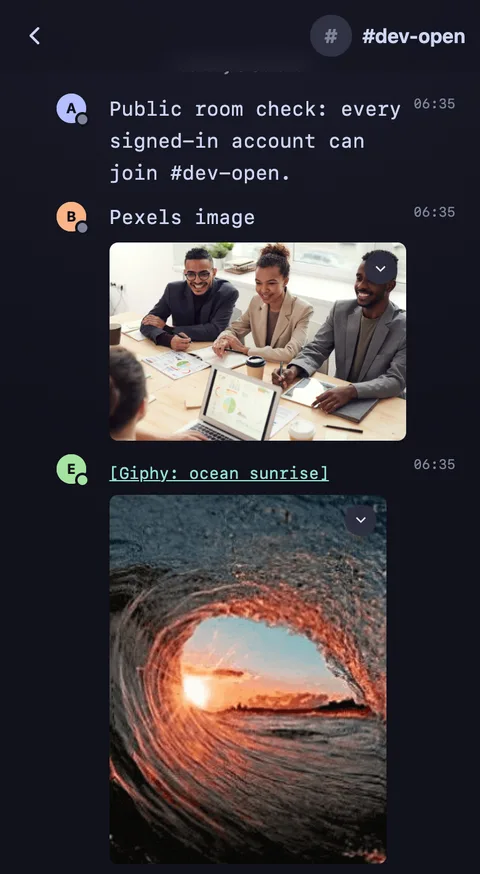
This is the build that's waiting on Apple's review.
The web app at phone size, with test accounts.
A workspace is your team's Slirc, like `yourteam.slirc.app`. One app holds all of yours, and "Switch workspace" moves between them.
Tap a link to a `*.slirc.app` workspace or to `app.slirc.org`, and it opens in the app, on that workspace. That works for normal https links and for `slirc://` links.
I build and sign it on a Mac mini. There's no public TestFlight link yet. If you want an invite, [let me know](mailto:info@slirc.org).
## Mac
Version 1.0.1 is notarized by Apple and needs macOS 14 or later.
Why Swift and not Electron, Tauri or Electrobun? Neither app has notifications yet, and when they come, they'll go through Apple's push service, APNs. Tauri and Electrobun have no Mac push API. Electron has one, but an Electron build comes to 244 to 323 MB. The Slirc DMG is about 380 KB, because it ships no browser of its own.
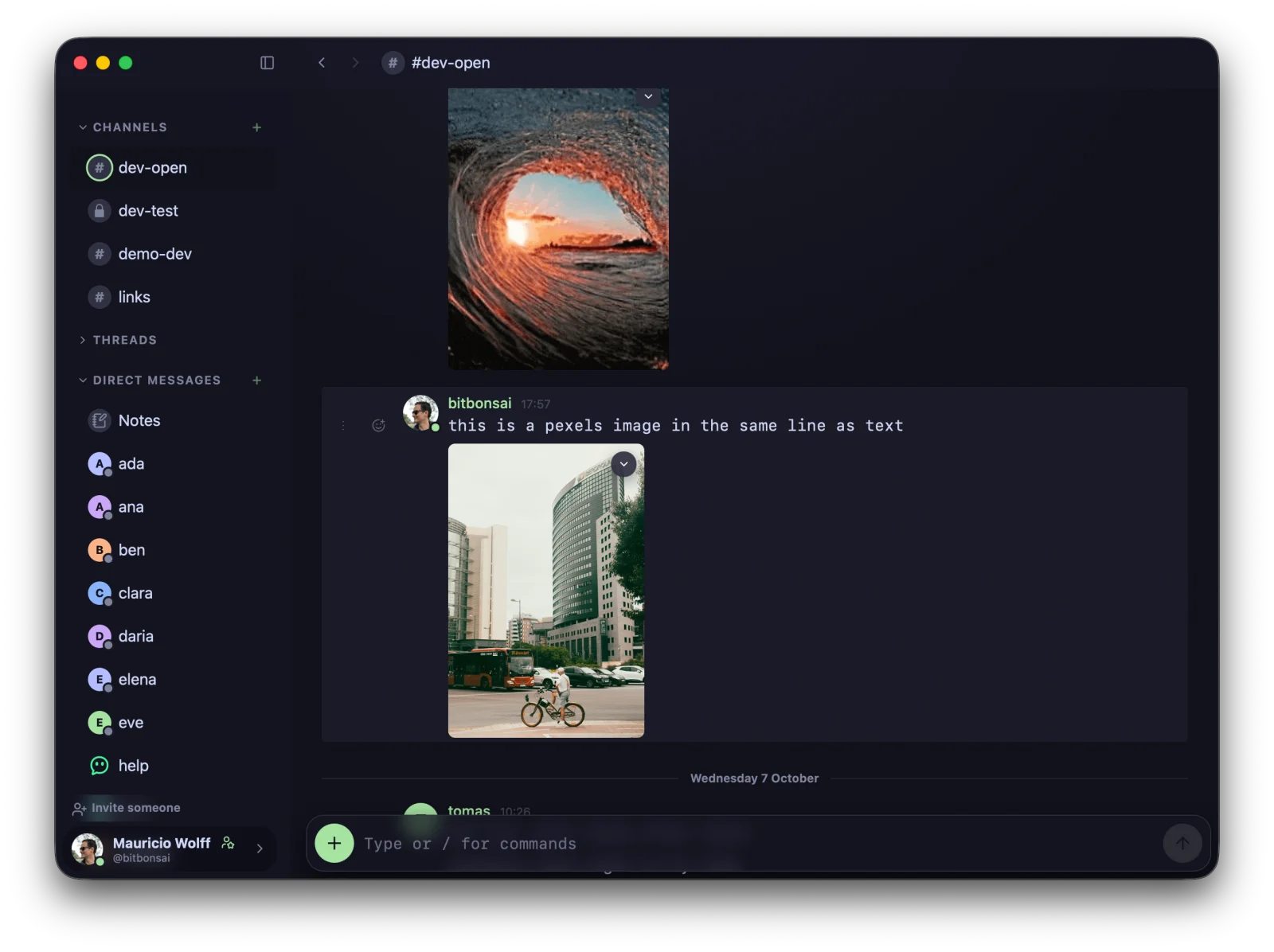
The title bar drags the window, like in any Mac app. The composer's corner follows the window's rounded corner, so it doesn't read as a second frame.
You sign in with the 6-digit code from the email. The email has a link too, but a link opens your default browser, so it would sign in the browser and not the app.
There's no auto-update yet, so each release is a new download.
The Mac app, on a dev server.
## Bugs I found by using it
- **The window wouldn't move on the sign-in screen.** The old drag only started when the page saw a press inside its header, and the sign-in screen has no header. So a fresh download couldn't be dragged at all. Now a native strip across the top takes those presses.
- **The "Editing message" label lost its styles** in the move to Alpine components. On a phone it took most of the composer row and squeezed the draft into a column a few letters wide. It has its own line now, with a Cancel button.
- **WebKit put popups 2,355px off.** It says it supports CSS anchor positioning, but in a scrolled message list a popup landed as far below its button as the list had scrolled. Safari and the Mac app now place popups by pixels.
## My first native apps
These are my first apps for iOS and Mac. They look awesome, and they feel native.