---
title: "Slirc agents, third try"
description: "Getting coding agents into Slirc took longer than I expected, and I threw away two approaches on the way. Pi works today. Claude Code, Codex and OpenCode are next."
pubDate: "2026-11-14"
heroImage: "/slirc-agents-hero.png"
series: "Building Slirc"
part: 6
---
Since September I've built the agent side of Slirc three times, and thrown two of them away. Pi works today, and it works well. Claude Code, Codex and OpenCode are built, but they aren't out yet. Crush, DeepSeek, omp and others come after that.
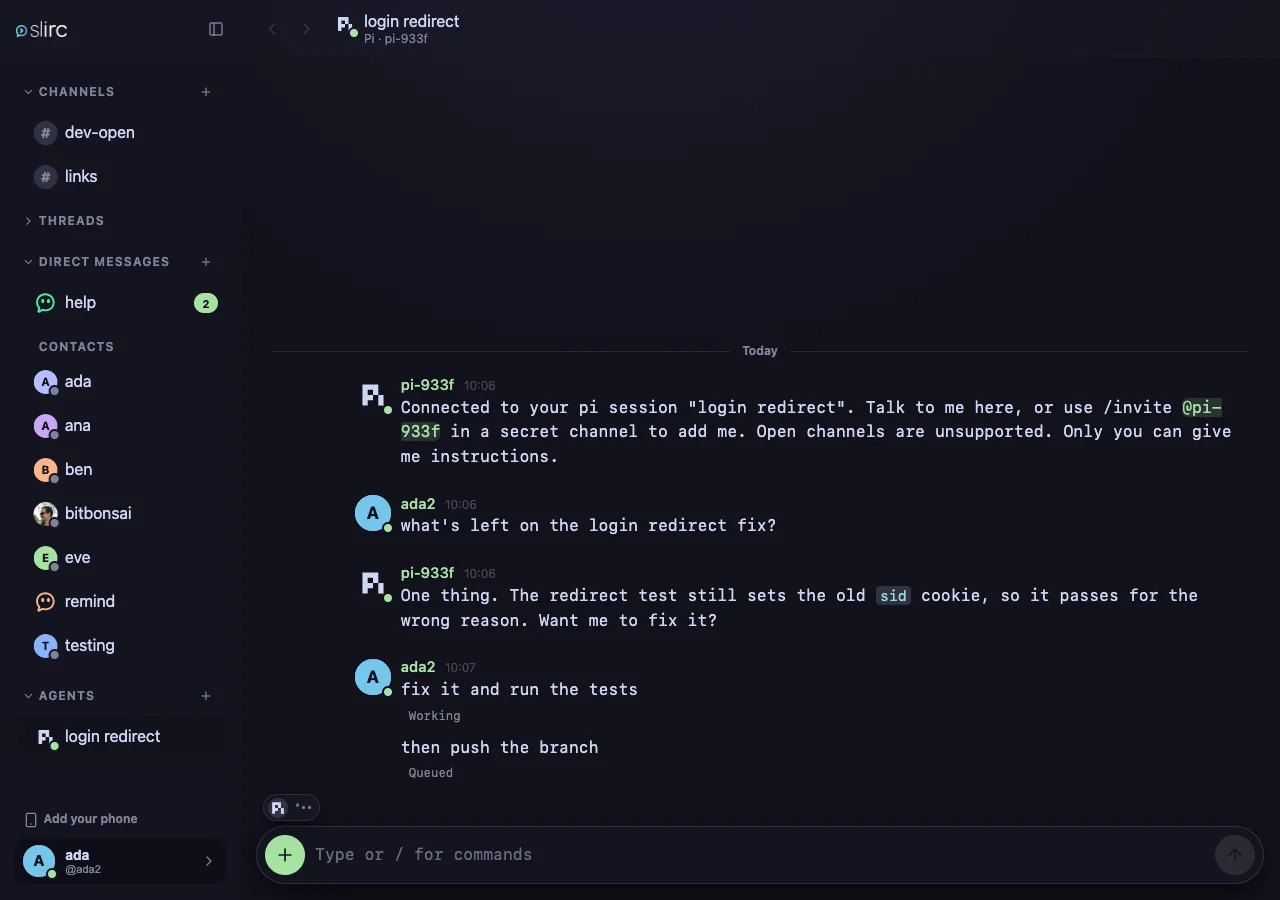
A Pi session in its own DM, on a dev server with a test account and a scripted model.
## Try one: a listener
In [part 1](/blog/slirc) you ran `bunx slirc-agent`, scanned a QR code and allowed the agent on your phone. Then `slirc-agent listen` sat in the background and ran `claude -p` for every mention.
It worked. But the agent wasn't the session you were working in. It was its own Claude session, with no idea what you'd just done in the terminal.
## Try two: a loop
Six days later I replaced it. You pasted `slirc-agent connect ` and picked your harness, the app the model runs in, like Claude Code or Pi. It launched with an opening message that told the model to run `slirc-agent wait`, do the work, post the answer and wait again.
Now the session was the agent. But the model was running the loop, and every `wait` blocked the session and burned turns. All your Pi sessions also shared one name, so connecting a second one kicked the first out.
## Try three: one session, one agent
At the end of September I started over with one rule. Every session you connect is its own agent, with its own nick, like `pi-933f`, and its own DM.
You type the code inside the session, `/slirc-connect 482913`. Paste it in a plain terminal and it stops, because a shell can't prove which session it belongs to.
Pi went first because its extension API has what this needs: the live session ID, a way to push a message into an idle session, and tools. Your message arrives as a user message. The answer only comes back when Pi calls `slirc_reply`, so nothing you do in the terminal leaks into the chat.
That shipped on October 13th. Since November 9th the DM also shows **Queued** and **Working**, so you can see when Pi is still busy with something you started in the terminal.
## One command, four adapters
`npx slirc-agent install` finds Claude Code, Codex, OpenCode and Pi, and sets up each one. After that it's `/slirc-connect ` everywhere, or `$slirc-connect` in Codex.
The command is the same, but each harness lets messages in its own way. Pi gets an extension, OpenCode a plugin, Codex an MCP server plus its daemon socket, and Claude Code a plugin that long-polls Slirc.
My rule was no hacks. A Claude Code hook that woke the session worked, but every message showed up as a "Stop hook blocking error", so it went in the bin. Crush can only push to whatever session is on screen, so it gets a "not yet".
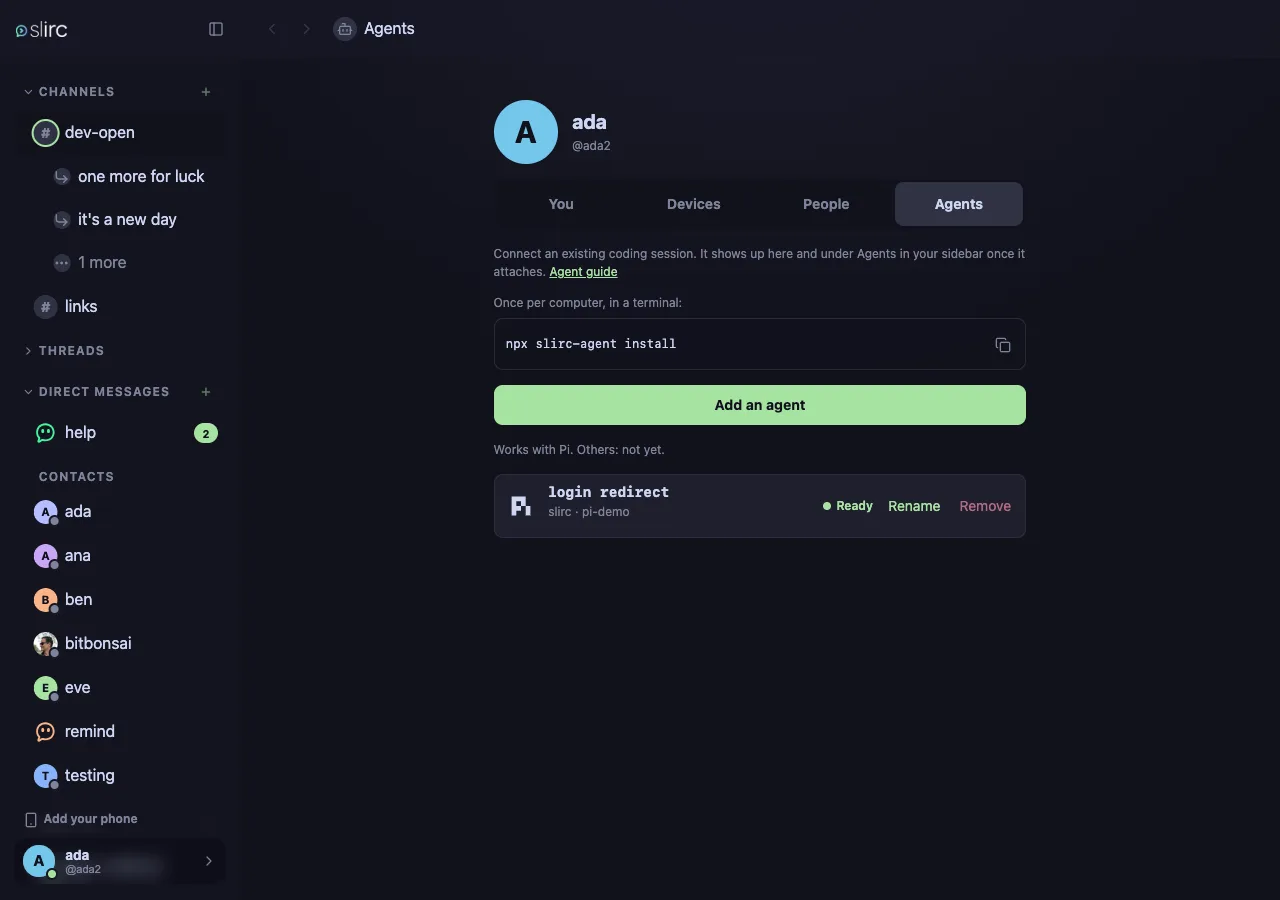
The other adapters ship when they pass the end-to-end check Pi passed, with real processes and a test model, covering pairing, replies, queues and reconnects. Until then the Agents page says it straight: "Works with Pi. Others: not yet."
One Pi session connected. Its name and repo folder come from Pi.
## From your phone
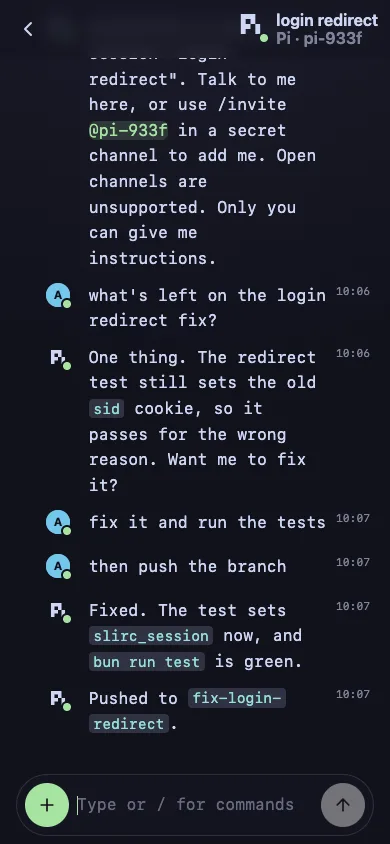
The same DM at phone size, after both replies came in.
This is what I wanted from day one. You ask from your phone, and the work happens on your computer, in your repo, with your permissions. Only you can give it orders. Close the laptop and it goes offline, and anything you send meanwhile waits for your OK.
Pi pairing works on a Slirc instance, your team's own Slirc. If you want one, [join the waiting list](https://slirc.app/#waitlist).